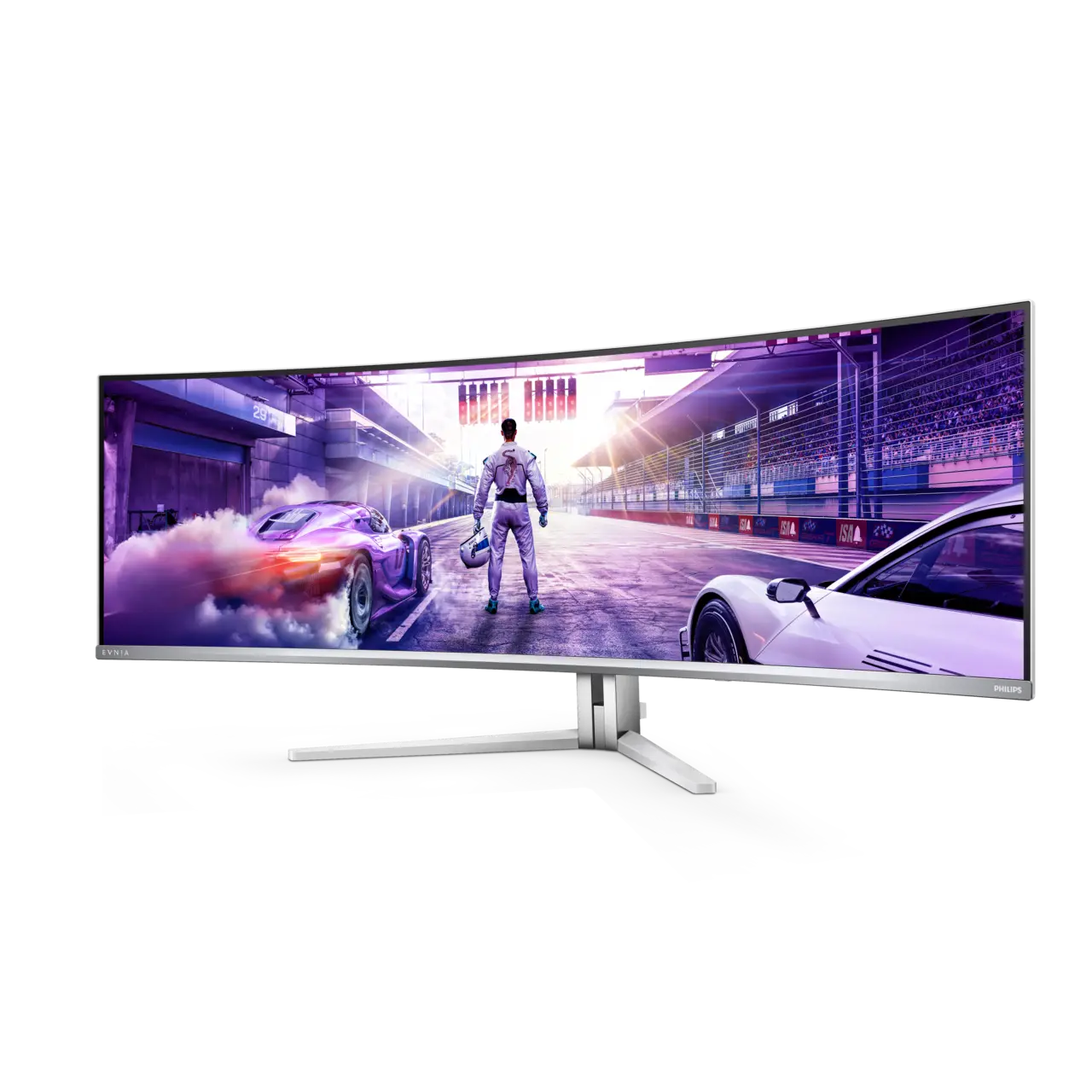
Choosing a gaming display requires more than recognising a familiar name. Although established brands can provide useful reference points, buyers should assess technical specifications, display characteristics, connectivity, ergonomics, and suitability for their preferred games before making a decision. When comparing popular gaming monitors, a careful evaluation of practical requirements offers a more reliable basis for selection than brand visibility alone. Evnia encourages gamers to consider how display features correspond to everyday gaming habits, desk arrangements, and long-term expectations.
Look Beyond Brand Awareness to Understand Display Performance
Brand recognition can help narrow an initial shortlist, but it does not establish whether a monitor meets a particular player’s needs. Different games place different demands on a display. Competitive titles often benefit from high refresh rates and responsive pixel transitions, while visually detailed games may place greater emphasis on resolution, contrast, colour reproduction, and screen size.
When evaluating popular gaming monitors, buyers should compare specifications within the same product category. Refresh rate indicates how frequently the display can update its image, while response time describes how quickly pixels transition between states under specified testing conditions. These measurements are related to motion presentation, but neither should be considered in isolation. Panel behaviour, input latency, and the graphics performance of the connected computer also influence the experience.
Documented specifications and independent testing can provide a more objective basis for comparison. A recognised logo may indicate an established product range, but measurable performance and suitability remain stronger criteria for determining whether a monitor meets specific requirements.
Match Screen Format to Games and Available Space
Screen dimensions and aspect ratio influence how a gaming monitor fits into a player’s setup. A conventional widescreen display may suit a broad range of games and desktop tasks, whereas an ultrawide screen can provide a wider field of view in compatible titles. However, support varies by game, and a wider image does not automatically translate into a competitive advantage.
When reviewing popular gaming monitors, buyers should examine the relationship between resolution, screen size, viewing distance, and graphics hardware. Higher resolutions require the computer to render more pixels, which can affect achievable frame rates. Players should consider whether their graphics card can deliver the performance they expect at the monitor’s native resolution and preferred settings.
Physical space matters as well. A larger display requires sufficient desk width and viewing distance, while its stand must accommodate the available workspace. Checking the monitor’s dimensions, mounting compatibility, and adjustment options before purchasing can help prevent practical difficulties after installation.
Evaluate Image Quality Through Practical Use
Image quality includes several characteristics that should be considered together. Contrast affects the distinction between dark and bright areas, colour reproduction influences how images appear, and peak brightness helps determine visibility in different lighting conditions. Panel technology can affect these characteristics, although performance varies between individual models.
For popular gaming monitors, buyers should also examine how advertised HDR support translates into actual performance. HDR compatibility alone does not guarantee strong highlights, convincing dark scenes, or consistent image quality. Relevant factors include peak brightness, contrast capability, local dimming where available, and the range of supported HDR features.
The intended gaming environment also deserves consideration. A brightly lit room may require different brightness and reflection-handling characteristics from a darker gaming space. Personal preferences matter too: some players prioritise accurate colours for mixed creative work, while others prefer a presentation suited to entertainment. Evaluating these requirements helps prevent a specification sheet from becoming the sole basis for a purchase.
Check Connectivity, Comfort, and Everyday Compatibility
A monitor must work effectively with the devices and accessories already in use. Buyers should review available video inputs, supported refresh rates at the intended resolution, and compatibility with relevant graphics technologies. USB connectivity, audio options, and other features may also matter depending on the setup.
Ergonomics deserve similar attention. Height adjustment, tilt, swivel, and mounting support can affect viewing comfort during extended sessions. Cable routing and desk layout may influence whether the monitor remains practical after installation. These considerations should form part of the selection process rather than being treated as optional details.
Price should be assessed against the complete feature set. A lower-cost model may offer everything a player needs, while a more expensive display may provide useful benefits for a specific use case. Comparing warranty terms, local service arrangements, and documented product support can further clarify the value of each option.
Assess Evnia Against Individual Gaming Requirements
Evnia provides another option for gamers evaluating display characteristics beyond brand familiarity. Its monitor range can be assessed according to practical criteria, including screen format, image characteristics, refresh rate, connectivity, and physical fit. This approach encourages buyers to examine the complete product rather than relying exclusively on a manufacturer’s reputation or a single headline specification.
One example is the Philips Evnia 49M2C8900C, featured on the official Evnia Australia website. Its product information offers a reference point for buyers exploring a large-format gaming display. Prospective customers can consult the official product page to verify specifications, supported features, and compatibility details before deciding whether the model suits their gaming setup.
This evaluation method also helps buyers compare alternatives consistently. Rather than asking which brand is the most widely recognised, they can identify which documented features address their most important requirements. Such comparisons make the selection process more relevant to individual gaming habits, hardware capabilities, and practical budgets.
Make an Informed Choice With Evnia
Selecting a gaming monitor is ultimately a decision about performance, compatibility, comfort, and value. Brand recognition can support initial research, but it should not replace a careful comparison of measurable specifications and real-world requirements. By considering games, hardware, room conditions, and workspace constraints together, buyers can identify a display that meets their priorities without paying for features they may rarely use.
Evnia invites gamers to explore its display range and evaluate individual models against their own needs. Visit the official Evnia website, review the verified specifications of the Philips Evnia 49M2C8900C, and compare its features with the requirements of the intended gaming setup to make a more informed decision.